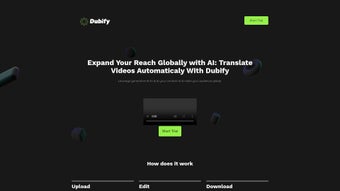

Download Dubify – AI Video Dubbing, Automatic Translation, Multi‑Language Voiceover
Dubify is an AI‑driven video dubbing platform that turns a single source video into a multilingual masterpiece with just three clicks. By combining cutting‑edge generative AI, speech synthesis, and automatic transcription, Dubify eliminates the traditional bottlenecks of manual voice‑over production. Whether you are a content creator aiming to expand your YouTube channel, a marketer looking to localize product demos, or an educator preparing multilingual e‑learning modules, Dubify offers a secure, cloud‑based workflow that delivers realistic, human‑like voiceovers in dozens of languages. The service operates on a subscription model, providing tiered pricing that matches the volume of videos you need to dub. In short, Dubify empowers anyone to reach a global audience without the high costs and long turnaround times associated with conventional dubbing studios.Key Features that Set Dubify Apart
- Three‑Step Workflow: Upload, generate transcript, select target language – done.
- AI‑Generated Transcripts: Accurate speech‑to‑text conversion powered by neural networks.
- Automatic Translation: Supports over 30 languages, with contextual adjustments for industry‑specific terminology.
- Human‑Like Voice Options: Choose from a library of realistic synthetic voices that mimic pitch, tone, and emotion.
- Bulk Processing: Queue multiple videos for simultaneous dubbing, ideal for course creators and corporate training teams.
- Secure Cloud Storage: All uploads are encrypted in transit and at rest, complying with GDPR and CCPA standards.
- Version Control & Preview: Review dubbed clips side‑by‑side with the original, make edits, and export in preferred formats.
- API Access: Integrate Dubify directly into LMS, CMS, or marketing automation platforms for seamless scaling.
- Flexible Export Options: MP4, MOV, WebM, and audio‑only formats with customizable bitrate.
- Subscription Tiers: Free trial, Creator, Business, and Enterprise plans to match any budget.
Installation & Usage: A Step‑by‑Step Guide
1. Account Creation and Initial Setup
Begin by navigating to dubify.com and clicking the “Sign Up” button. The registration process requires a valid email address and a secure password; two‑factor authentication is optional but recommended for added security. After confirming your email, you are prompted to select a subscription tier. New users can start with the 7‑day free trial, which includes up to three minutes of dubbed video per month. The dashboard appears immediately, showing a clean interface with “Upload Video,” “My Projects,” and “Settings” tabs.
2. Uploading and Transcribing Your Video
Click the “Upload Video” button and drag‑drop your file or browse from your local storage. Dubify accepts most common formats (MP4, MOV, AVI, WMV) up to 2 GB per file on the free tier, with higher limits on paid plans. Once the file is uploaded, the platform automatically initiates transcription. Within seconds, you receive a time‑coded text document that you can edit directly in the web editor. This step is crucial for ensuring industry‑specific jargon is correctly captured; the editor includes a “Dictionary” feature that lets you add custom terms that the AI will recognize in future uploads.
3. Selecting Language and Voice
After confirming the transcript, move to the “Translate & Dub” panel. Choose your target language from a dropdown list; Dubify instantly displays a preview of the translated script. You can toggle between “Standard” and “Creative” translation modes—the latter adapts idioms and cultural references for a more natural audience experience.
Next, select a voice profile. Each language offers multiple voice options categorized by gender, age, and speaking style (e.g., “Corporate Male 40‑yr‑old” or “Friendly Female 25‑yr‑old”). A short 10‑second audio sample helps you decide before committing.
4. Rendering and Exporting
When you’re satisfied with the translation and voice selection, click “Render.” Dubify’s backend distributes the workload across GPU‑accelerated servers, typically delivering a fully dubbed video in 5–10 minutes for a 10‑minute source file. The progress bar updates in real time, and you can watch a side‑by‑side comparison of original and dubbed audio. Once rendering is complete, click “Download” to save the file locally or push it directly to cloud storage services like Google Drive, Dropbox, or AWS S3 via the integrated API. The final video retains the original visual quality, with the new audio track seamlessly synced to the lip movements where the AI’s “Lip‑Sync Pro” feature is enabled.
5. Ongoing Management and Analytics
The “My Projects” tab lists all past dubbings, allowing you to re‑download, duplicate, or edit any project. Dubify also provides basic analytics: view counts, average watch time, and language‑specific engagement metrics. These insights help you refine future dubbing strategies, especially when targeting new regions.
Compatibility, Pros & Cons, and Real‑World Use Cases
Operating System Support
Dubify is a fully cloud‑based SaaS solution, which means you can access it from any modern web browser on Windows, macOS, Linux, Android, and iOS devices. No local installation is required, and the platform is optimized for Chrome, Edge, Safari, and Firefox. For power users, Dubify offers a lightweight desktop wrapper (Electron‑based) for Windows 10/11 and macOS Monterey and later, giving you quick access from the taskbar or dock.
Pros
- Ultra‑fast three‑step workflow saves time and reduces production costs.
- High‑quality, human‑like synthetic voices that support emotional nuance.
- Broad language coverage—over 30 languages with regional dialect options.
- Secure, GDPR‑compliant cloud storage and end‑to‑end encryption.
- API access enables integration with LMS, CMS, and marketing platforms.
- Transparent pricing with a free trial for low‑risk evaluation.
- Built‑in analytics for tracking multilingual audience performance.
Cons
- Limited offline capability; an internet connection is mandatory.
- Advanced customization (e.g., custom voice training) is only available on Enterprise tier.
- Audio quality may vary for languages with fewer voice models.
- Large video files (>2 GB on lower tiers) require manual splitting.
- Learning curve for non‑technical users when configuring API integrations.
Real‑World Use Cases
Educational institutions leverage Dubify to translate recorded lectures into Mandarin, Spanish, and Arabic, dramatically increasing enrollment in online programs. Marketing teams dub product demo videos for Southeast Asian markets, cutting localization budgets by 70 % compared to traditional studios. Corporate HR departments use Dubify to create multilingual onboarding videos, ensuring compliance training reaches employees in every branch office without language barriers. Finally, independent creators on YouTube and TikTok adopt Dubify to add subtitles and voiceovers, boosting watch time and subscriber growth across new regions.
Frequently Asked Questions (FAQ)
How accurate is Dubify’s automatic transcription?
Dubify uses a state‑of‑the‑art speech‑to‑text model trained on diverse audio datasets, achieving an average word‑error rate (WER) of 4.2 % for clear speech. Accuracy improves further when you enable the “Noise Reduction” toggle for recordings with background sounds.
Can I use my own voice model for dubbing?
Custom voice training is available on the Enterprise plan. You upload a set of recorded voice samples, and Dubify’s neural voice synthesis engine creates a personalized voice that can be used for any language supported by the platform.
What file formats does Dubify accept for upload and export?
Upload: MP4, MOV, AVI, WMV, MKV (up to 2 GB on the free tier). Export: MP4, MOV, WebM, and audio‑only MP3 or WAV files. You can also choose the resolution and bitrate during export.
Is there a limit to how many languages I can dub a single video into?
There is no hard limit on the number of target languages per video; however, each language renders as a separate output file. Subscription tiers define the total monthly minutes you can process across all languages.
How does Dubify handle data privacy and security?
All files are encrypted with TLS during upload and stored with AES‑256 encryption at rest. Dubify complies with GDPR, CCPA, and ISO‑27001 standards, and offers Data Processing Agreements (DPAs) for Enterprise customers.
Conclusion & Call to Action
Dubify bridges the gap between high‑quality video production and global accessibility. By automating transcription, translation, and voice synthesis, it empowers creators, marketers, and educators to reach audiences in dozens of languages without the traditional expense of hiring voice actors and translators. The platform’s intuitive three‑step workflow, secure cloud infrastructure, and robust API make it a versatile tool for both one‑off projects and large‑scale multilingual campaigns. Whether you are looking to expand your YouTube channel into new markets, deliver employee training across continents, or simply provide subtitles for an online course, Dubify offers a cost‑effective, fast, and reliable solution.
Ready to amplify your video content worldwide? Download Dubify today, start your free trial, and experience AI‑powered dubbing that feels genuinely human.
Dubify delivers a seamless, cloud‑based dubbing experience that rivals traditional studios in speed and quality. The voice library feels natural, and the automatic translation is surprisingly accurate for most major languages. The only drawback is the reliance on an internet connection and the higher cost of custom voice models, which are locked behind the Enterprise tier. Overall, it’s an excellent investment for anyone serious about multilingual video outreach.



.png)



